

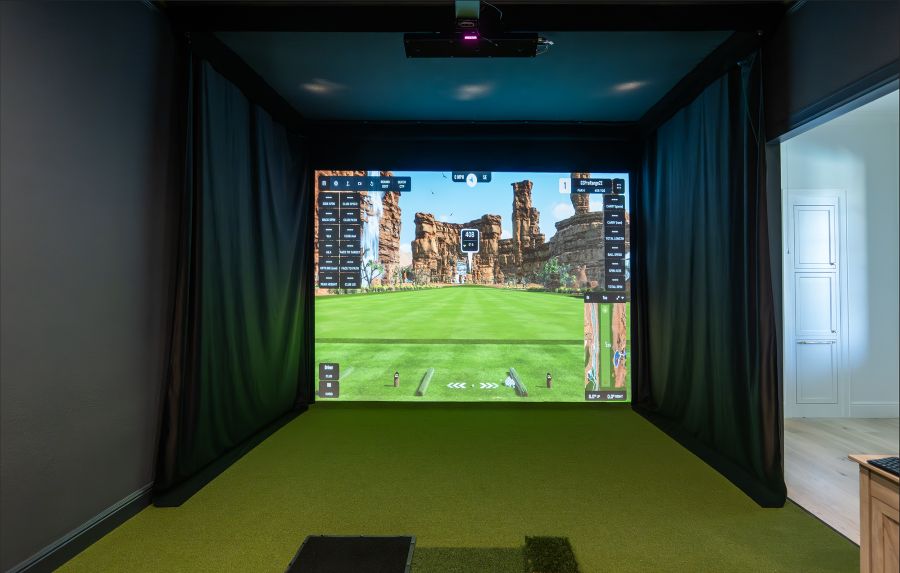
Indoor Golf Expert Jon Sherman Breaks Down the Advantages of GSPro’s, Trackman’s, and SkyTrak’s Offerings.
It’s amazing how immersive indoor golf has become and much like actual golf the gameplay has become. It’s easy to look at the logo on the simulator screen or launch monitor and assume all of the intellectual and technological ingenuity comes from one source. In some cases, that’s true . Frequently, though, the software that provides the game play, functionality between user modes and the vast libraries of golf courses that can be played comes from a third party.
If you’ve been around simulators enough, you’ve probably heard people say how fun it is to have the GSPro software because the course library is expansive and includes custom designed courses you can’t find anywhere else. GSPro is compatible with several of the top launch monitor systems on the market today and provides users a seamless and enjoyable experience. Meanwhile, innovators like Trackman and SkyTrak have dug in their heels and run their systems with their own proprietary software programs.
It’s not really a matter of “Who’s better?” because they’re all great. It’s more of an instance of “Which system is better for ME?” And, predictably, that depends on several factors.
To make the clearest sense of this topic, we caught up with Jon Sherman, owner of the Practical Golf website, author of “The Four Foundations of Golf” and “101 Mistakes All Golfers Make (and how to fix them)” books, and co-host of The Sweet Spot Podcast.
Sherman lives on Long Island, N.Y. To better practice what he preaches, Sherman installed a high-tech golf simulator room in his home years ago, hiring The Indoor Golf Shop to design the room and install the equipment. Now he’s an indoor golf expert.
Here’s our conversation.
What’s the easiest way to do a fair comparison of the different software offerings that are most used in the indoor space today: GSPro, Trackman and SkyTrak platforms, in terms of available courses, gameplay, game improvement options and data tracking.
My setup is a Foresight GC3 launch monitor, and GSPro. I made that decision for a reason, so there’s a bias and I really do like GSPro. But I’ll start with Trackman, which I always see as like the Apple of the golf industry. They’ve built a closed software ecosystem, but it’s amazing. It’s simple, it works. From a game improvement perspective, it’s the best and most robust. There are so many different environments you can practice in and do skills challenges. The amount of data you’re getting, how it rates shots, games, fun games, challenging games, games for kids is all outstanding. They’ve just built an incredible game improvement platform that works seamlessly. You can log in if you’re at a simulator place or if you have one at home, and all of your data goes with you and you get all these great reports. So I would say Trackman is the gold standard when it comes to all of the data you want, all the environments, all the challenges. It’s the best in my opinion, and it works really well. But of course, you’re going to have to pay more for it from a hardware perspective and ongoing costs, as well. In terms of simulation, they’ve got the 3D-rendered courses. They use drones and more technology to render their best courses. So they do have a large library of real and fictitious golf courses. But again, you’re going to pay for it. It’s all done through them, so there are no user generated courses. Trackman’s in control of everything. That’s a pro because you get a good experience, but it’s a con because you don’t get some of the things that GSPro offers. So, Trackman’s the best.
What about GSPro?
GSPro straddles the middle really well. If you want golf courses, there are over a 1,000 at this point and they’re all user generated. They have a really cool community behind it. For example, a few years ago, I thought wouldn’t it be cool if Central Park had a golf course and I had AI generate a photo of it. Someone took that idea and actually made the course on GSPro and I’ve played it, and it’s very fun. You’re literally playing golf in Central Park. So that’s really the benefit of GSPro – its avid community of golf course creators, really good 4K graphics, somewhat low ongoing cost – it’s $250 a year – and its makers have done a good job creating practice environments. There’s a lot of different skill-based games, you can customize the driving range, you can randomize shots. Is it as robust as Trackman? No, you don’t get all the reports and all that. But it’s quite good. You could work on your short game or do a full skills test of every club in your bag. They have all these different challenges and they’re fun. You’re on leaderboards, you’re competing against yourself and other users. And golf course simulation as well. You have the opportunity to compete in tournaments which Trackman has, but that’s another great feature. GSPro is for someone who likes that open source software – maybe it’s more of like an Android user with a user community behind it making the courses. Very good practice environment. I’m very happy with it personally. I love GSPro. I think the mix you get for how much you spend and what you get out of it is a really good value proposition.
And what advantages are there with SkyTrak?
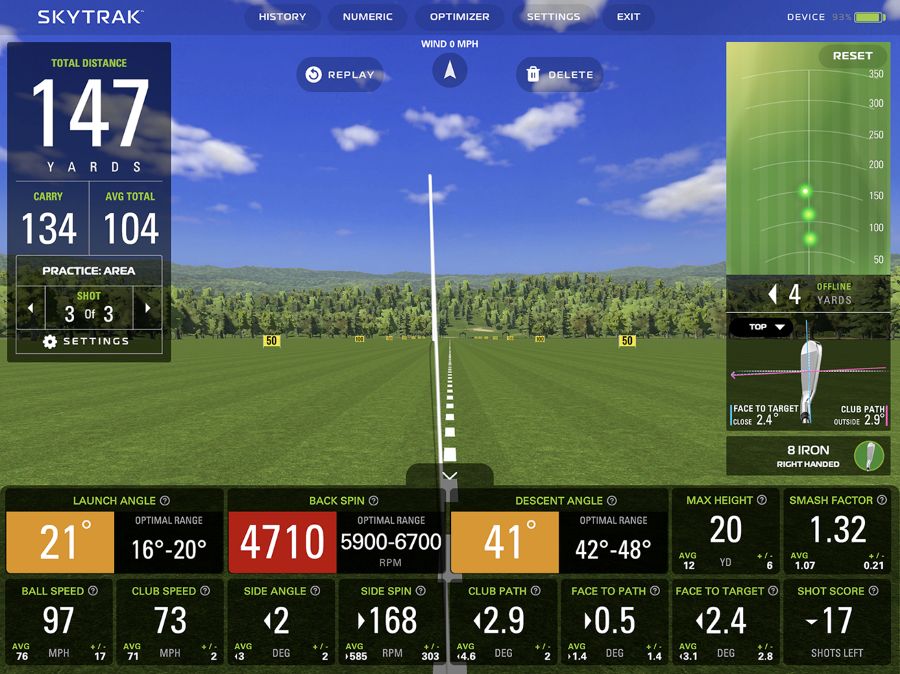
SkyTrak has gone the Trackman route with more of a closed loop. You can’t get official integrations for other software like GSPro or E6 anymore. They push you to their software platform, especially now that it’s owned by GOLFTEC. SkyTrak’s done a great job because they’re doing more practice environments and skill challenges that are really good. If you look at all of the driving ranges they offer, you can create a barrier on the left or right side, you’re trying to hit shots through certain hoops. They’re making it fun and engaging. They just released a swing training framework where you can work on clubhead speed, with or without a ball. They’ve done a really good job of taking all the knowledge from GOLFTEC and then carefully building the software. Even before GOLFTEC, they did a great job of making it a good practice environment. They offer a skills assessment, and club mapping out your bag. It’s a very good option for the typical golfer who’s serious about game improvement. The software is very good. Its simulation options are not as robust as GSPro. You have to pay more to get either Foresight or Trackman courses and you’re limited to those. So you’re not going to get the 1,000+ courses. And there’s not as much online play or competition. The software is great. You’re going to pay more for features you want, but it’s a closed ecosystem and the ecosystem’s great. It’s stronger on the game improvement side. Someone who’s serious about practice and improvement would really like the SkyTrak options. You do get courses to play as well, of course.
What do you feel is the greatest advantage of using GSPro?
It’s more for the simulator enthusiast. Someone who likes to play a ton of different courses, likes to play crazy courses. There are some really unique designs on there where you’re like hitting off a cliff. If you want to compete online, there are tournaments. I used to play a lot of them where they’ll follow the PGA Tour and you’ll play whatever tour stop they’re playing that week. It’s more geared towards someone who either wants to design golf courses themselves or be engaged in that golf course design community. There are great graphics, and the practice environment is great too. It’s not as coherent as SkyTrak and Trackman. You need to dictate your own practice more with GSPro, but they have the features if you know what you’re looking for – whereas SkyTrak and Trackman guide you along better. I have written several articles for The Indoor Golf Shop explaining what the data metrics mean and how to use them to become a better golfer. And because it’s open source, you get access to more things, but there’s less coherence.
When buying one of the platforms, what do golfers think too much about?
The launch monitor they’re going to buy. They evaluate the hardware a little too much and forget about what software goes along with it. And more importantly, what computing power needs go along with that software. So someone needs to think long and hard if they want to go with this closed loop system or with the list of companies that GSPro has official integrations – like Rapsodo, Square Golf, Uneekor and Foresight. The only risk there is knowing in the future which companies will go towards closed loop. Uneekor and Foresight each have their own software now.
If someone’s thinking about installing a simulator in their home, how can they easily decide which platform is best for them?
There’s a lot of different permutations to that answer. For me, I just wanted the Foresight GC3 launch monitor. It was very important to me and I felt that Foresight software was pretty good, but I like GSPro more because it has more features. So that helped guide my decision. Having the flexibility to go with GSPro was helpful. If you’re using a Garmin R50, you have to think if you just want to hit a few balls in the practice environment and not take it too seriously and have the screen there. So you need to think about what you’re primarily using it for. Is it mostly for practice? Maybe SkyTrak is a good option because the hardware isn’t as expensive upfront, and the practice environment is better. So if you’re mostly just going to hit range balls, go with SkyTrak.
 If you want to play simulated courses all the time, and play online tournaments, then maybe go with Uneekor, Foresight or Rapsodo because they have the GSPro integration. Just think ahead of what your best-use case is for the simulator, and then look at the software options to see where the strengths and weaknesses are. Trackman is for anyone wanting the best, but you’re going to have to pay $15,000 or $20,000 for the hardware and $1,000-plus a year for the software. So that’s someone who wants it all. That’s not most people, obviously.
And then look at the other options. Do your best, see the strengths and weaknesses of each software, and then work backwards into the hardware solution that also fits your budget with that.
If you want to play simulated courses all the time, and play online tournaments, then maybe go with Uneekor, Foresight or Rapsodo because they have the GSPro integration. Just think ahead of what your best-use case is for the simulator, and then look at the software options to see where the strengths and weaknesses are. Trackman is for anyone wanting the best, but you’re going to have to pay $15,000 or $20,000 for the hardware and $1,000-plus a year for the software. So that’s someone who wants it all. That’s not most people, obviously.
And then look at the other options. Do your best, see the strengths and weaknesses of each software, and then work backwards into the hardware solution that also fits your budget with that.